Identify the Exact Dyson Model and Battery Style
1. Find the vacuum modelLook for V8, Cyclone V10, V11, V15 Detect, and where available the SV model code on the machine.
2. Check how the battery attachesV11 owners must distinguish between click-in and screw-in battery versions.
3. Look for the battery part numberExamples include V10 part 969352-03, V11 screw-in 970145-06, and V11/V15 click-in 970938-01.
4. Match the Amazon replacement against the same familyFor lithium-ion parts, model-name similarity alone is not enough.
Dyson V11: Click-In vs Screw-In Is the Critical Check
Dyson explicitly says V11 vacuums were sold with two battery types. If your V11 has a large red release button where the handle meets the battery, it uses the click-in battery. If it does not, Dyson directs owners to the standard screw-in battery.
Do not order a V11 battery until you check this. A listing can be genuinely compatible with Dyson V11 and still be wrong for your particular V11 battery attachment style.
Dyson Battery Compatibility at a Glance
| Dyson Family |
Official Battery Reference |
Important Compatibility Note |
| Dyson V8 |
Dyson V8 replacement battery family; Dyson US currently references part 967834-08 on its replacement page. |
Use a battery specifically intended for the V8/SV10/SV25 family as applicable to your exact machine. |
| Dyson Cyclone V10 |
Part No. 969352-03 |
Dyson lists the same battery for its current V10 small-bin and big-bin parts pages. |
| Dyson V11 screw-in |
Part No. 970145-06 |
For V11 screw-in/LCD models. Do not substitute a click-in battery. |
| Dyson V11 click-in |
Part No. 970938-01 |
Dyson's click-in family is compatible with supported V11 machines, Outsize, and V15 Detect. |
| Dyson V15 Detect |
Uses the compatible Dyson click-in battery family |
Dyson lists V15 Detect alongside V11 and Outsize for its click-in replacement battery. |
Is the Battery Actually the Problem?
| Symptom |
Likely Direction |
What to Do First |
| Runtime is much shorter than it used to be |
Battery aging is plausible |
Test outside Max/Boost mode and compare with previous normal runtime. |
| Vacuum has poor suction but normal runtime |
More likely airflow or floor-head problem |
Check filter, bin, wand, brushroll, and blockages. |
| V8 shows repeated flashing lights |
Could indicate a battery or other fault |
Use Dyson troubleshooting before buying the battery. |
| Battery will not charge |
Battery, charger, connection, temperature, or electronics |
Confirm the charger and machine diagnostics first. |
| Several expensive parts are also worn |
Battery may not be the only repair |
Compare total repair cost with a replacement vacuum. |
If the vacuum feels weak rather than simply short-lived, use Why Is My Cordless Vacuum Losing Suction?. For normal battery aging and runtime expectations, see How Long Do Cordless Vacuum Batteries Last?.
Verified Amazon Replacement Batteries
For electrical replacement parts, we only include Amazon options where the listing matches a manufacturer-confirmed battery family closely enough to be useful. These are third-party batteries, not genuine Dyson parts.
V11 Screw-In Match
ELO Dyson V11 Screw-In Replacement Battery
25.2V 5000mAh listed Part 970145-06 Third-Party
Compatibility: the Amazon listing specifically identifies V11 screw-in models including SV14 and references Dyson battery part 970145-06. Dyson's own V11 screw-in parts page lists 970145-06 as the battery for this battery style.
Buy only if: your V11 uses the screw-in battery design. If your battery releases with a large red click-in button, this is the wrong battery type.
Check Current Price on Amazon
V11 / V15 Click-In Match
Batryuic V11 / V15 Click-In Replacement Battery
25.2V 9000mAh listed 970938-01 referenced Third-Party
Compatibility: the listing explicitly references Dyson click-in part family 970938-01 and names V11 Outsize and V15 Detect. Dyson likewise lists its 970938-01 click-in battery for supported V11 machines, Outsize, and V15 Detect.
Buy only if: your vacuum uses the red-button click-in battery style. This is not for V11 screw-in machines.
Check Current Price on Amazon
What About Dyson V8 and V10 Amazon Batteries?
Amazon carries many V8 and V10 replacement batteries, including listings that name the correct V8/V10 families and voltage ranges. However, the current listings we audited did not tie the battery identity to Dyson's official US part reference as cleanly as the V11 options above.
That does not mean every V8 or V10 third-party battery is incompatible. It means we would rather keep the page accurate than recommend a lithium-ion replacement solely because the listing title says “fits V8” or “fits V10.”
Genuine Dyson vs Third-Party Batteries
Dyson recommends genuine parts and notes that genuine Dyson tools and parts are designed to keep the machine working as intended. Third-party batteries can be cheaper or advertise higher capacity, but cell quality, battery-management electronics, capacity claims, and warranty support vary.
For a third-party battery, prioritize: exact battery attachment style, exact Dyson model/SV family, official part-family match where possible, correct voltage, and credible electrical specifications. Capacity claims alone should never be the reason to choose a battery.
When Battery Replacement Makes Sense
| Situation |
Recommended Path |
| The Dyson still cleans well and only runtime has declined |
Replace the battery. |
| Correct battery is available and the vacuum still suits your home |
Repair first. |
| Battery, floor head, seals, and other costly parts are all worn |
Compare total repair cost with upgrading. |
| Your Dyson was never powerful enough or lacked enough runtime |
Consider a newer cordless vacuum instead. |
Same-Brand Upgrade Path
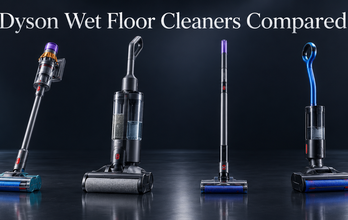
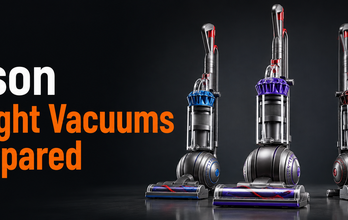
If repairing your current Dyson no longer makes sense, stay inside the Dyson decision first. Use Dyson Cordless Vacuums Compared to see how V8, V10, V11, V12, V15, and newer premium models fit into the lineup.
If you are deciding whether a newer flagship is worth replacing an older Dyson, see Dyson Gen5detect vs V15 Detect.
FAQ
How do I know which Dyson replacement battery I need?
Identify the exact Dyson family and, where possible, the SV model and battery part number. V11 owners must also determine whether their vacuum uses a click-in or screw-in battery.
How do I tell if my Dyson V11 uses a click-in battery?
Dyson says the click-in version has a large red battery-release button where the handle meets the battery. If that button is absent, Dyson directs owners to the standard screw-in battery.
Does the same battery fit Dyson V11 and V15?
Some compatible click-in batteries do. Dyson's 970938-01 click-in battery is listed for supported V11 machines, Outsize, and V15 Detect. This does not apply to V11 screw-in models.
What is the Dyson V11 screw-in battery part number?
Dyson's current US V11 screw-in/LCD parts page lists battery part 970145-06.
What is the Dyson V10 battery part number?
Dyson's current US Cyclone V10 parts pages list battery part 969352-03.
Is it worth replacing a Dyson battery?
Usually yes when the vacuum still performs well and the battery is the main aging component. If several expensive parts are also failing, compare the repair cost with a current replacement vacuum.
Bottom Line
Battery style matters as much as the Dyson model name. V11 is the biggest compatibility trap because Dyson sold both click-in and screw-in versions. Match the battery attachment style and part family before ordering.
For Amazon replacements, the strongest matches we found are a V11 screw-in battery that explicitly references Dyson part 970145-06 and a V11/V15 click-in battery that references Dyson part family 970938-01. Both use your SSG Amazon affiliate tag and are clearly labeled as third-party replacements.


Comments: 0